

One workspace per client
Create a separate Francis workspace for each client. Each workspace can connect to multiple accounting systems, so you can support clients with several legal entities. Switch between client workspaces from the workspace menu in the top left.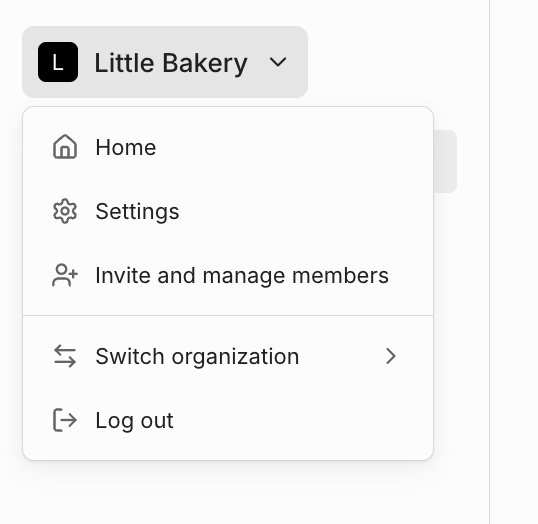
Roles and access
When you and your colleagues join Francis, each of you signs up with your own email address. Once you’re a Certified Francis Advisor, your profile is tagged with an Advisor label based on your email domain. The person who creates a workspace becomes its Owner. To transfer ownership, go to Settings > Workspace > Members, open the role menu next to a member’s name, and select Make owner. A workspace can have multiple owners. Invite users to any workspace as an Admin, Editor, or Viewer. See Members and roles for what each role can do.There is no central admin panel across workspaces. Invite each colleague into every client workspace they need access to.
Inviting clients
You can also invite clients into their own workspaces. Pricing depends on the level of access:- Viewer-only access: 50% discount
- Admin or Editor access: 25% discount
Subscriptions and billing
Each client workspace’s subscription is managed separately. You can choose a different plan for each client. See the options at francis.app/pricing.There is no central billing panel, so payments are handled per workspace.
- Pay on behalf of the client by adding your card
- Invite the client to add their own payment details
Advisor discounts
As a Certified Francis Advisor, you get two discount levels based on how actively the client uses Francis:- Viewer-only access: 50%
- Editor or Admin access: 25%
Reusing work with templates
One advantage of Francis is reusing models across clients. Use Francis’s built-in templates or create your own to share across client workspaces. This captures and scales your best practices. Advisors who build and reuse templates typically get clients running in under an hour. You can promote any model you’ve built into a reusable template:- Duplicate the model you want to promote. Promoting a model moves it to a new location, so use a copy, not one still in use by a client.
- Remove client-specific content, such as company names, employee names, and confidential metrics or descriptions.
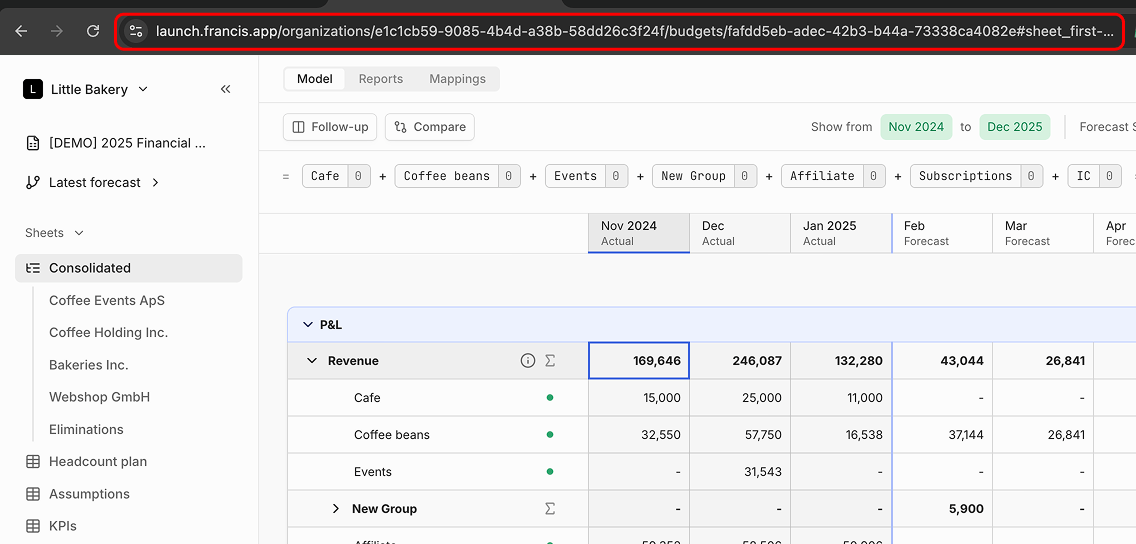
- Email support@francis.app with the URL of the model you want to promote. The URL includes the model ID needed to identify it.
- Move the model to a dedicated, free workspace called Template workspace
- Promote it to a shared template
- Remove any data source mappings automatically
Demo data
To demo Francis to potential clients, Francis can create a free demo workspace with sample data. Email support@francis.app to request a demo setup. Francis will then:- Create a new demo workspace under your account.
- Provide test data for two fictional entities, Bakeries Inc and Webshop Ltd, as Google Sheets ready to import.
- Offer a short onboarding call to set up a basic model, configure Google Sheets connections, and map the data to a Francis template.